EIKUSKRITUSKYKLUS

Let AI know. You become able.

A figure built from books, a blackboard and a megaphone stands on a chalk hopscotch path, while a barefoot man carrying his shoes walks away from it into the fog.

Turn any slide into professional design

The only AI tool that can rescue your ugly, rushed slides to at least
a passing grade — built on an obsessively deep human mind for presentation design.

1
Input
2
Purpose
3
Content
What do you have?
Choose how you'd like to provide your content.

PowerPoint File

I have an existing .pptx that needs
a professional redesign

Text / Script

I have a written script or outline
ready to become slides

What is it for?
This determines how your content will be treated.
PRESENTING

For Presenting

Optimized for live delivery on stage or in meetings

Only the key points and essential content will appear on slides. Redundant text, filler sentences, and non-critical details are removed — the audience should be listening to you, not reading the screen.

READING

For Reading

Professional layout while keeping every word

Every word of your original content is preserved — nothing is deleted or rewritten. The AI applies professional logical structure, typography, layout, and color. Ideal for reports, handouts, or documents meant to be read independently.

Your Content
Upload your PowerPoint file.
⬆

Drop your .pptx here

or click to browse

Output is rendered in standard 16:9 widescreen format regardless of original file dimensions.
PRICING
Pay per use, or subscribe and save.
Single Use
For one-off projects — try MarcusLabs.
$2.99
75 credits
about 15 pages

Credits are tied to real AI token consumption. Your actual usage depends on the complexity and length of each presentation, so real credit cost per PPT varies.

  • Premium AI engine
  • Instant .pptx download
  • No account required
BEST VALUE
Monthly
For monthly large-deck work.
$19.99/ month
600 credits
about 120 pages

Credits are tied to real AI token consumption. Your actual usage depends on the complexity and length of each presentation, so real credit cost per PPT varies.

  • Unused credits keep accumulating
  • Premium AI engine
  • Instant .pptx download
  • Credit packs available when you need more
Need more credits?
Add 150 credits for $4.99 anytime (about 30 pages). Your credits keep accumulating.
Best value
Heavy
For PPT-making heavy users.
$99.99/ month
3500 credits
about 700 pages

Credits are tied to real AI token consumption. Your actual usage depends on the complexity and length of each presentation, so real credit cost per PPT varies.

  • Unused credits keep accumulating
  • Premium AI engine
  • Instant .pptx download
  • Credit packs available when you need more
Need more credits?
Add 150 credits for $4.99 anytime (about 30 pages). Your credits keep accumulating.
Payments processed securely via Paddle. Supports credit cards, WeChat Pay (not for subscriptions), Alipay, and other payment methods.

If this presentation matters to you — a rigorous presenter should never blindly adopt the raw output of this tool.

02EikusPrivate beta · iPhone

Eikus app iconEIKUS

A time machine back to your newborn days.

Eikus fully recreates the way you acquired your native language.

  1. Watch and guessShort scenes of people talking, never a teacher at the camera, staged so the picture shows the meaning.
  2. Read what you heardPen-and-ink cards built mostly from words you heard in the scenes; fiction cards use no others.
  3. Dub the scene yourselfPick a character, or all of them, and record your voice or a selfie video over the scene.
The tumbler from the Eikus welcome screen: poke it, drag it, fling it, push its base.

03KritusOn the App Store · iPhone & iPad
Kritus app icon: an earKRITUS

Before understanding music by “seeing” it, first understand it by hearing.

Train your ears, not your eyes.

  1. Hear itA note, interval, chord, phrase or progression loops. No fretboard, no keyboard map, no notes on screen.
  2. Find it by earPlay it on your own guitar or piano. The microphone checks the pitches, not your timing.
  3. Then see itOnly when you play it right do the staff and chord name appear. Notation is the reward, not the prompt.
  1. Start from zero

    Just your ears

    Kritus never shows you a fretboard, a keyboard map, or a line of written music. You hear a sound and feel for it on your instrument — even your own voice. No theory, no reading, no experience needed; if you can hear it, you can find it.

  2. Our twist

    Chords bloom open

    Stuck on a chord? Each loop you take peels one more voice off the stack — one note at a time — until it lies open and you can hear each on its own. Nail it in a pass or two and it stays a solid block. Nothing else meets your ear right where it is.

  3. The river

    Always moving

    Everything flows in one river, in the order real music uses it. Catch twelve in a row — each in just a few loops, heard fast rather than picked apart — and the current carries you downstream to what’s next. Fall short and this stretch keeps flowing you the same water until you do.

  4. Step in

    Let Kritus listen

    Kritus hears the notes you play through the microphone. Grant access to play along, now or later — nothing here traps you, so pick any stage from the menu and reset your progress whenever. Step in.

The four pages Kritus opens with: how it works, before you play a note.

04KyklusIn development · Mac · iPhone · iPad

Kyklus icon: an orbital recordKYKLUS

Loop it. Own it.

Learn a phrase straight from the recording: loop it, slow it without changing the pitch, and let Kyklus raise the speed to your target.
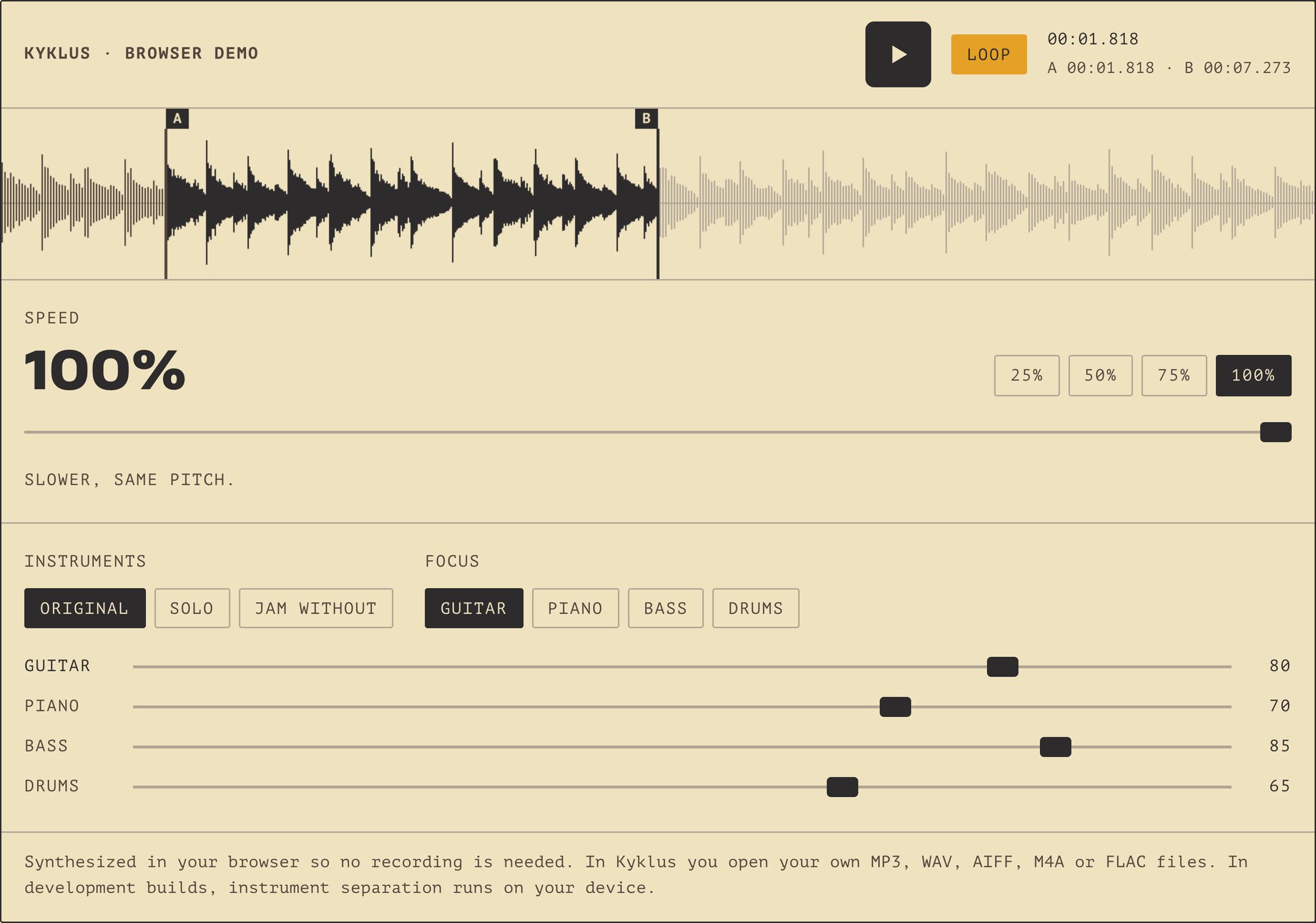
The Kyklus browser demo: play, Loop on, an A–B loop from 00:01.818 to 00:07.273 marked on the waveform, speed 100% with 25/50/75/100% presets, and the instruments: Original, Solo and Jam without, focus on guitar, levels guitar 80, piano 70, bass 85, drums 65.
The browser demo on the Kyklus page: loop a phrase, slow it down, take an instrument out.
  1. Loop one phraseDrag across the waveform to loop a phrase, then nudge A and B by a single sample frame.
  2. Slow it, then speed upSlow down to 25% at the same pitch; after a set number of loops, Kyklus adds a few percent.
  3. Take your part outDevelopment builds split a song into six instruments on your device; solo yours, or play along without it.
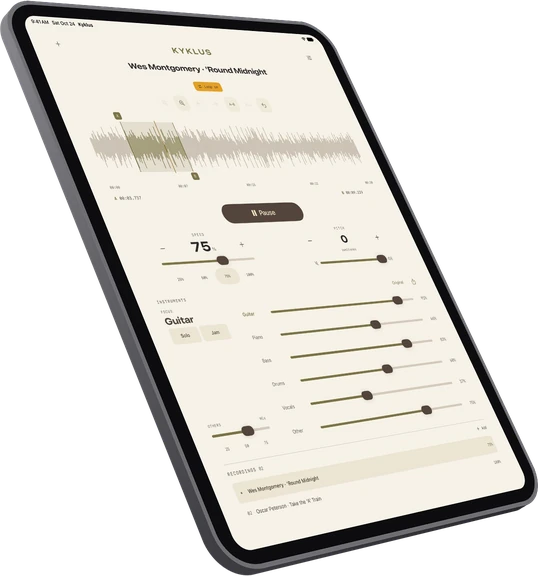
Kyklus on iPad, light, held upright: Wes Montgomery · 'Round Midnight playing a short loop from A 00:03.737 to B 00:09.229, Loop on, speed 75%, instruments separated with Guitar in focus and six levels set apart (guitar 91%, piano 66%, bass 83%, drums 60%, vocals 37%, other 75%).
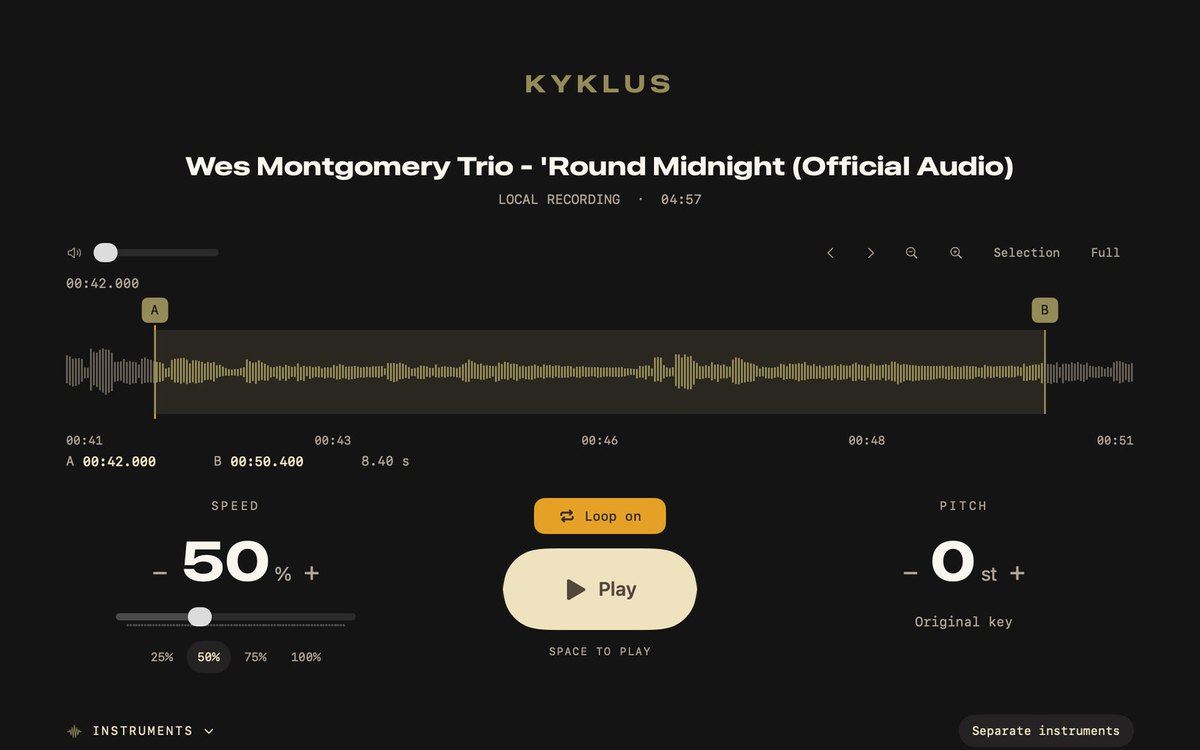
Kyklus on a Mac, dark: Wes Montgomery Trio - 'Round Midnight (Official Audio) with an A–B loop from 00:42.000 to 00:50.400, Loop on, speed 50%.
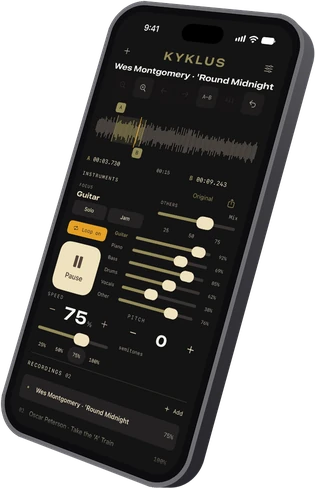
Kyklus on iPhone, dark: playing Wes Montgomery · 'Round Midnight: a short loop from A 00:03.730 to B 00:09.243 on the waveform, Loop on, speed 75%, the instruments separated with Guitar in focus and the six levels set apart (guitar 92%, piano 69%, bass 85%, drums 62%, vocals 38%, other 76%), and the recordings list with Wes Montgomery · 'Round Midnight and Oscar Peterson · Take the 'A' Train.
Kyklus on iPad, Mac and iPhone.

05A book in progressManuscript · draft English

Lose Your Way

Knowledge and Ability Cancel Each Other Out, with the Marcus Xu Edition of the Daodejing

Knowledge is gained by adding, ability by removing: to test ability, take away only the substitutes and see what remains.

  1. Take away the substitutesRemove only the sheet music, the subtitles, the answer key. Leaning on them is performance, not ability.
  2. Wait, then change the situationIt must remain after a long pause and adapt to situations it has never seen.
  3. Try to hand it overIt cannot simply be told to someone else. Miss any of the four and it is not yet ability.
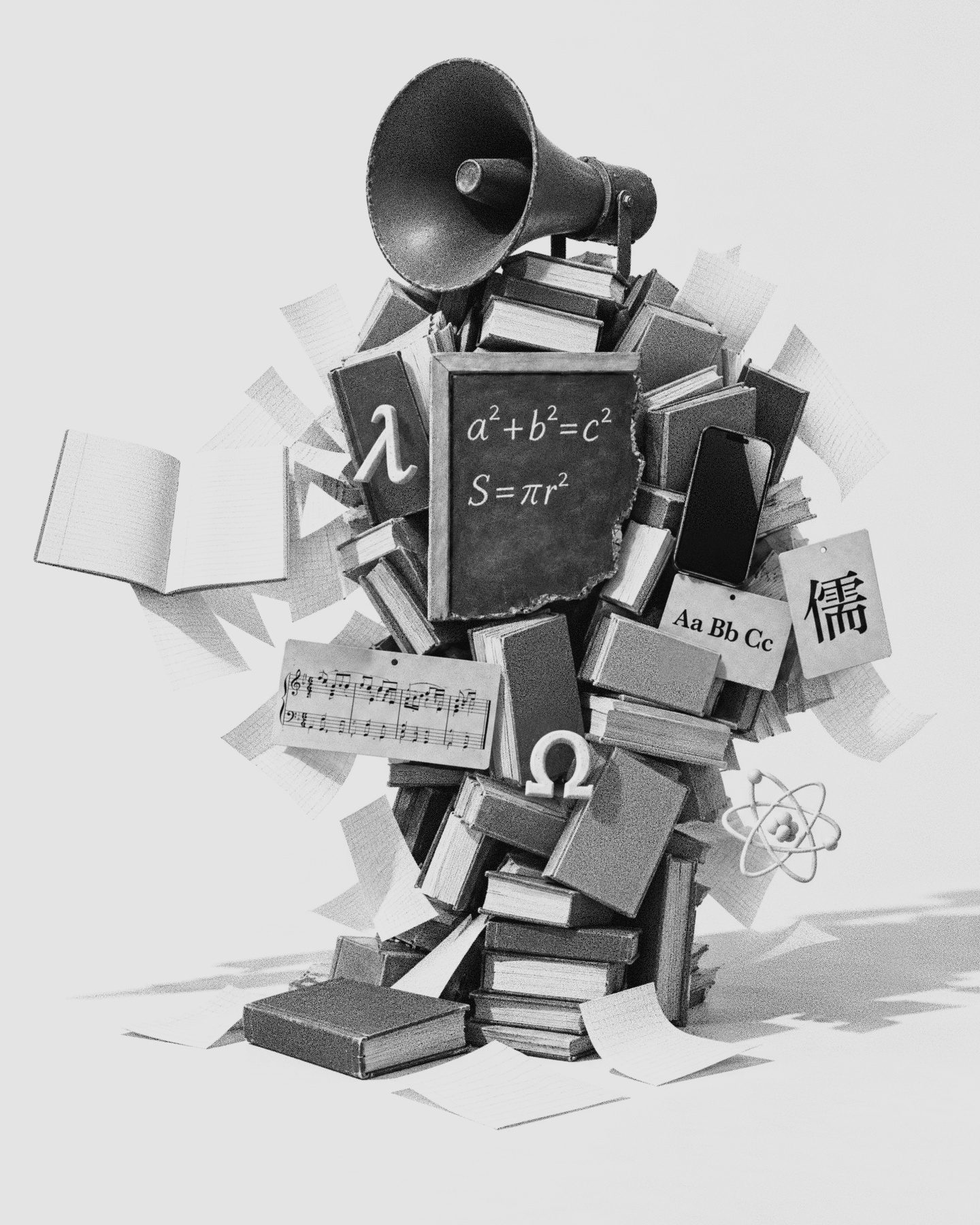
AI-generated figure of Knowledge: a cluster of books, cards and devices that reads as a person from afar
Knowledge: copied, taught, tested, handed to a machine
The Charter of Ability144 articles · 13 chapters

AI-generated figure of Ability, modelled on the author, walking in profile
Ability: cannot be handed to anyone